Reprint Bank Deposit Slip
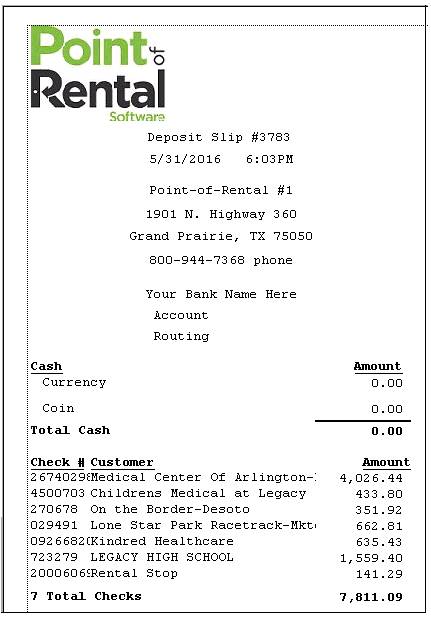
You can reprint any bank deposit slip with this option. Once this option is selected, enter the desired date. The report will contain the following information:
Deposit Slip No - This will auto generate at the end of the day
Date - Lists date when deposit Slip was generated
Time - Lists time when deposit slip was generated
Name of Company - Will be listed on the top half of the deposit slip
Bank Information - Your companies account number and routing number will appear on the deposit slip
Cash - will be broken down by Currency and Coin amounts. Total cash will be listed underneath cash column.
Check - Checks amounts and name of customer will appear in check column. Total amount of checks will be listed underneath check column.
Total Deposit - Total amounts from the cash and check totals.
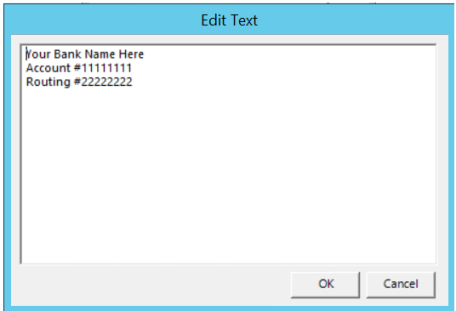
How to Add Bank Information to the Deposit Slip
You can add bank information to your deposit slip by going to Program Menu>>System Configurations>>Edit System Letters>>Deposit Slip Header.